
Risk & crisis management without the enterprise price tag.
Most organisations keep their risk register in a spreadsheet and their crisis plan in a PowerPoint deck. The other option is an enterprise platform that costs a fortune, takes months to set up, and ends up mostly unused. RiskQuake is the practical middle: lean, connected and useful on day one, at a price that makes sense for small and mid-sized organisations and not-for-profits.
See how it worksRegister your interest
Three things we don't do
- No spreadsheets as your risk registerOne live register linked to your risk appetite, with owners, treatments and reminders. Not a file someone updates the night before the board meeting. (You can still export to Excel whenever you need to.)
- No PowerPoints as your crisis planYour people, plans and playbooks in one place your team can use under pressure, and live exercises where the clock keeps moving. Prefer slides in the room? Each exercise also downloads as a PowerPoint.
- No enterprise price tagOne annual price per module, unlimited users and no implementation project. It's self-serve: set it up yourself, at your own pace, without having to sit through a sales pitch.
Two modules. Use one, or both.
Both share your organisation, people and logins, so nothing gets set up twice. Neither is open for sign-up yet: register your interest and we'll tell you when they open.
- Response built, opening soonBe ready for the first hour of a crisis. Realistic exercises for your crisis team (ransomware, data breach, workplace siege, reputation crisis, cyclone and flood), call-out tests to see who answers at 3am, playbooks, and a live mode to run a real incident.
- Risk in developmentA risk register built to be easy to keep current. Rate each risk on a 5×5 likelihood and consequence matrix (before controls, now, and target), see where it sits against your risk appetite, and track treatments with owners and due dates. Enterprise, divisional and departmental risks are linked, with regular reviews and a board view straight from the data.
Who it's for
- OrganisationsTest your crisis team regularly without hiring an outside facilitator every time, and have a tool ready for a real incident. Set up your people, sites and plans once, then use them for exercises, call-out tests and the real thing.
- Not-for-profitsSerious risk and crisis management without a serious budget. Charities registered with the ACNC get a reduced price.
How Response works
- Set up onceAdd your people and their crisis roles, sites, key systems, suppliers and plans. Choose your sector and state, and the scenarios name the regulators that usually apply to organisations like yours (for you to check with your adviser).
- Plan the exercisePick a scenario, the team's maturity and how long you have. You get a run plan you can review and change.
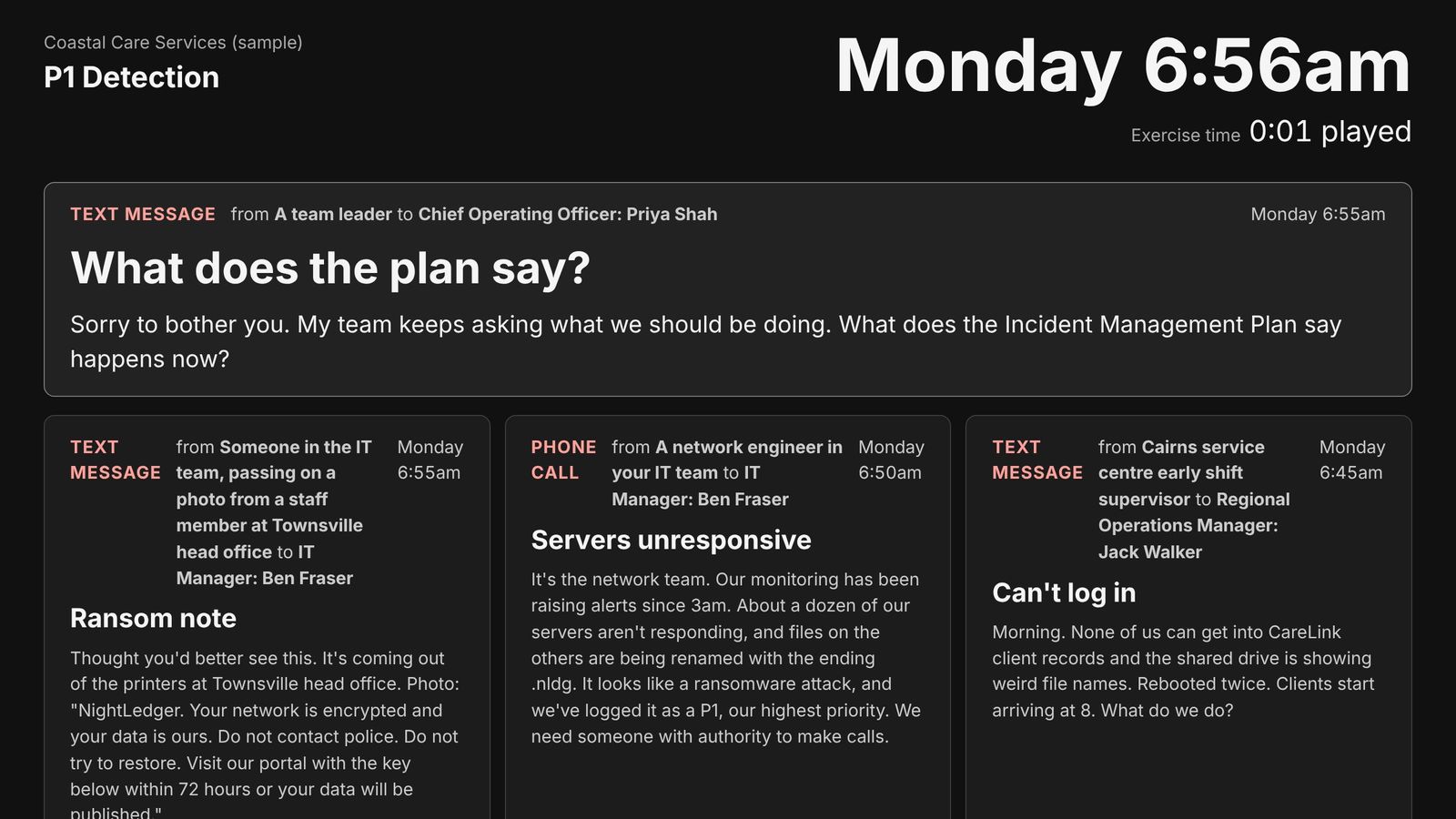
- Run it liveThe projector shows the room what is happening, you steer from a private control screen, and the scribe logs decisions and actions.
- DebriefEverything that happened becomes a debrief you can print, save as a PDF or export as a spreadsheet, and a playbook to keep for a real incident.
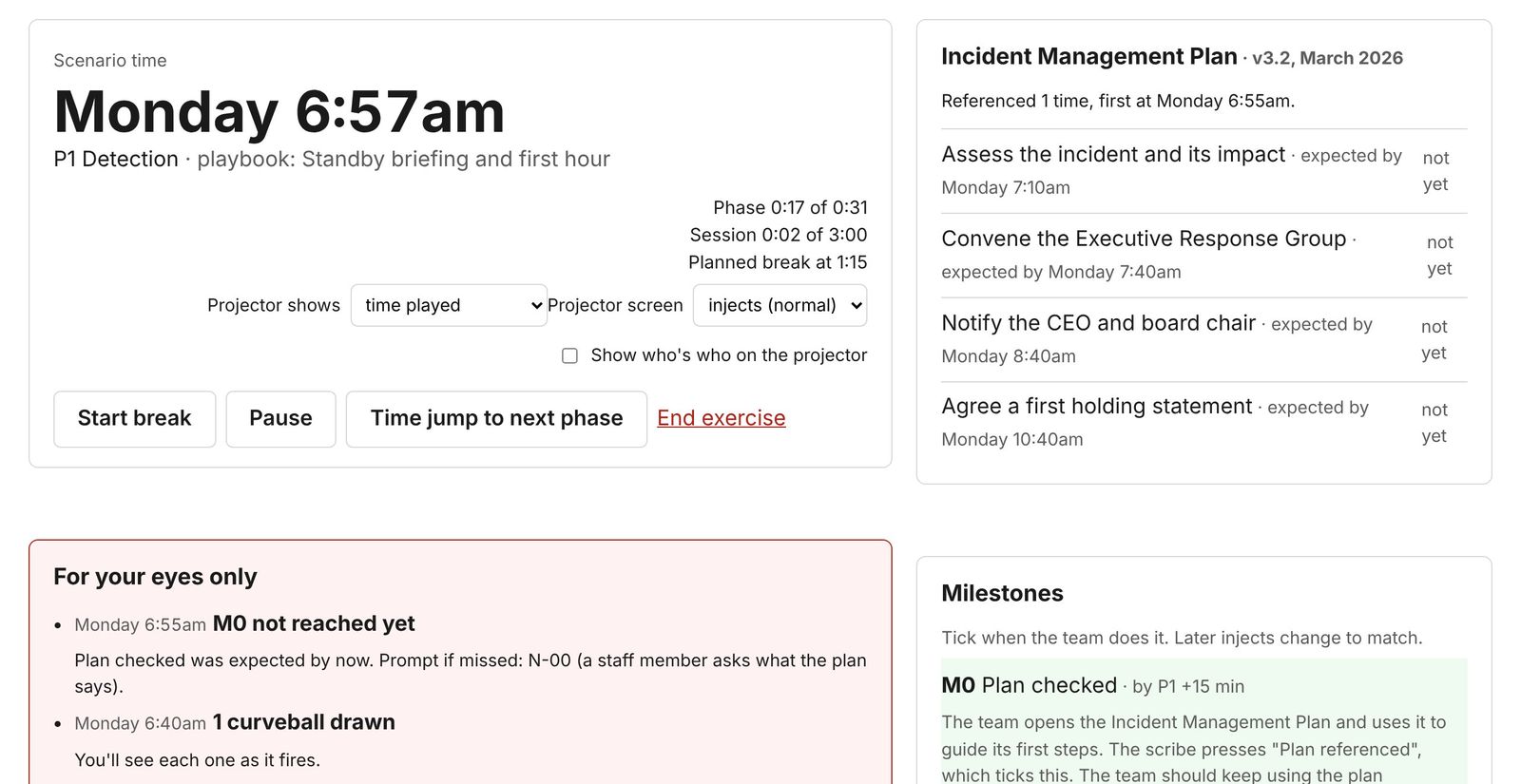
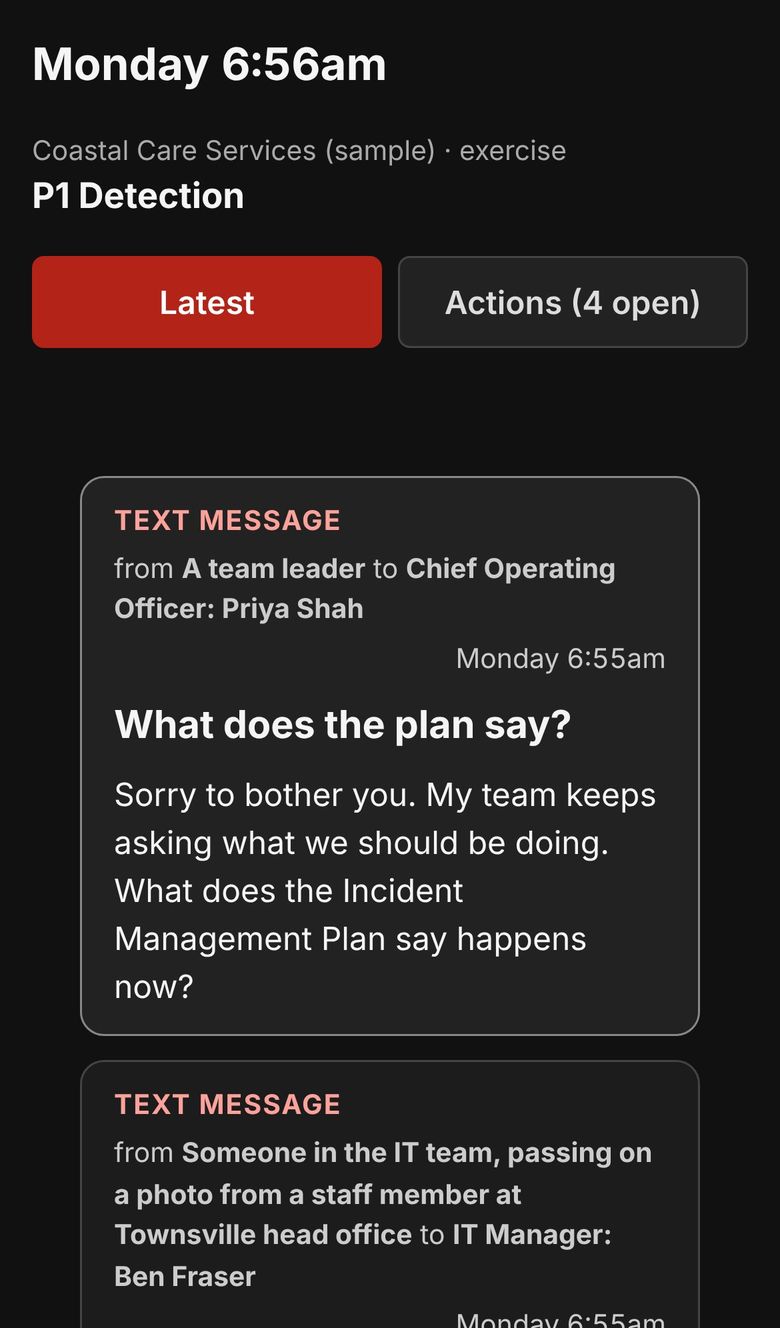
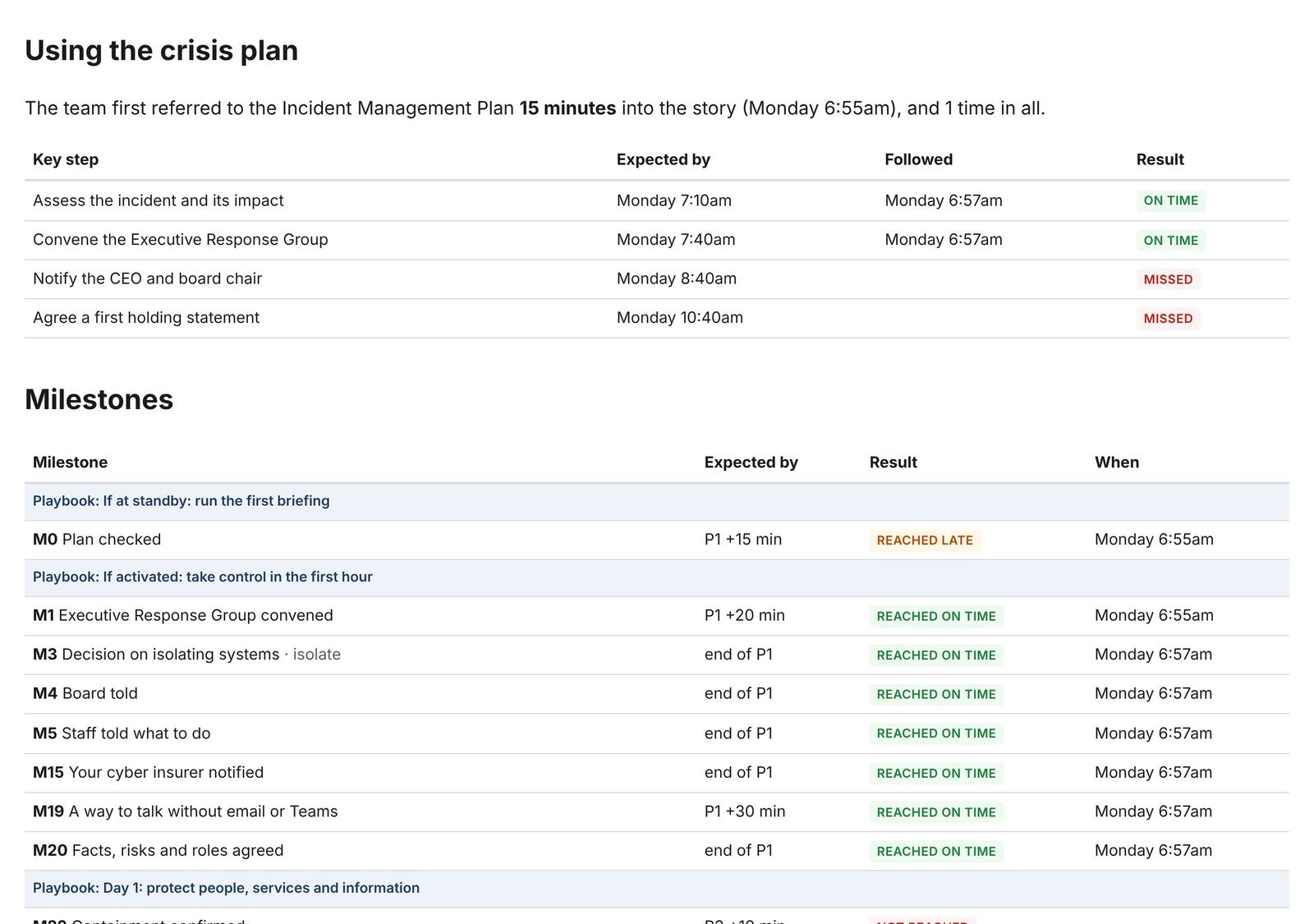
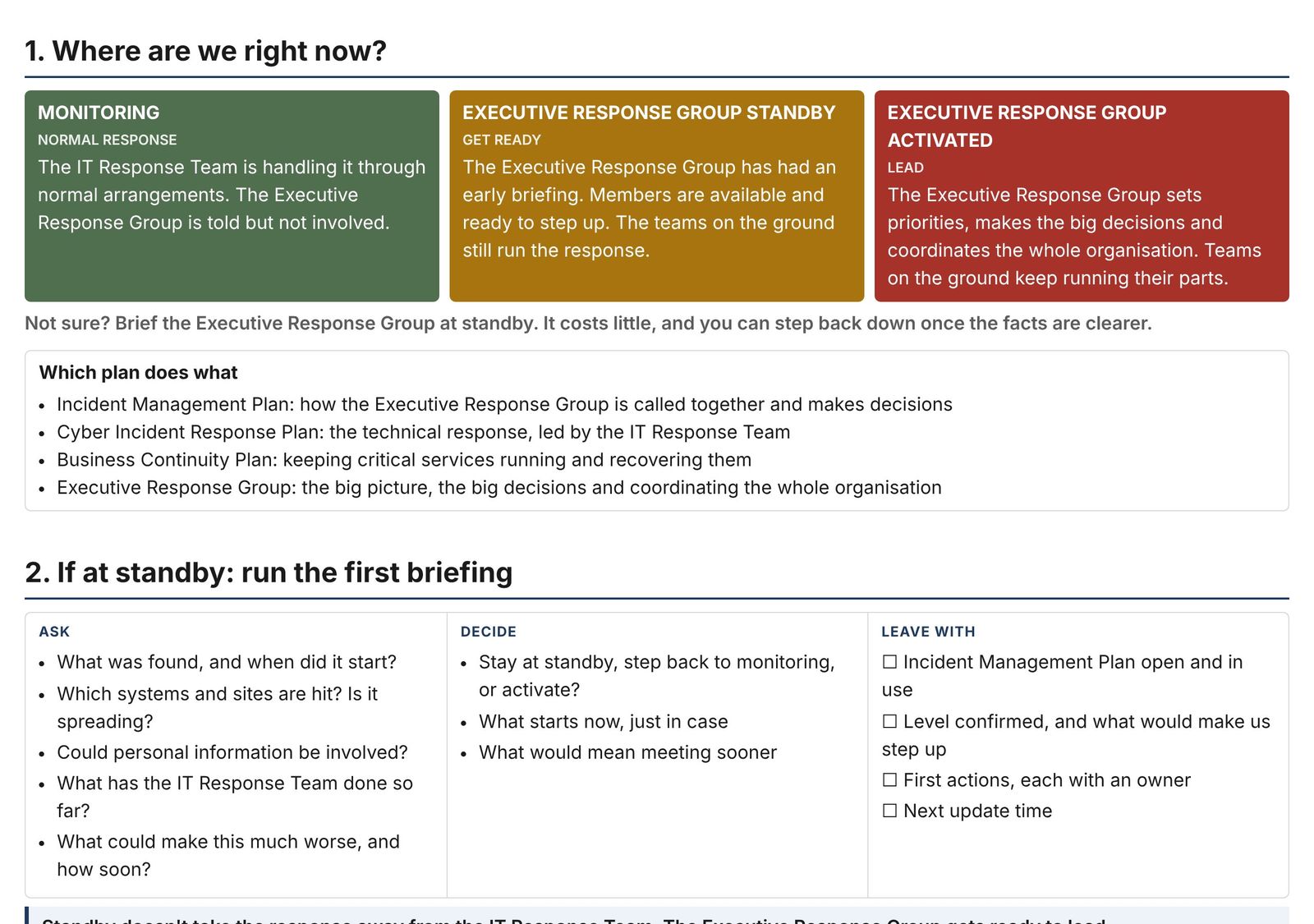
Screenshots show Coastal Care Services, a made-up sample organisation.
What's inside Response
- Six ready-made scenariosRansomware, data breach, workplace siege, reputation crisis, cyclone and flood. Each branches on the team's decisions and holds back facts they wouldn't know yet.
- Real-time pressureA scenario clock with time jumps, surprise curveballs, and an optional twist that takes one team member out at random.
- Built around your teamMaturity levels, breaks, an overnight fatigue roster, the team's update rhythm, and stand-ins for anyone away.
- Scribe and action boardActions with an owner and due time, with a prompt when they fall due. Every scenario checks whether the team used its own plan.
- A playbook from every exerciseTurn what the team did into a checklist of steps, owners, deadlines and gaps to fix. The next exercise checks the team against it.
- Real incidentsWhen it's not an exercise: alert the crisis team, keep a timed log, track actions and deadlines, and keep a record.
- Call-out testAlert key staff at realistic odd hours and record how fast each person acknowledges.
- Rehearse on your ownPractise a scenario alone with a pretend team and a sped-up clock before you run it for real.
Be one of the first
RiskQuake isn't open for sign-ups yet. Tell us a little about your organisation and we'll let you know as soon as it opens.